Image to video prompts
20 copy-paste prompts for turning a photo into a video. Each one is two sentences: a camera sentence you can preview on your own photo now, and a subject sentence for the AI render.
Or try a stock frame
In the preview
Pick a prompt, then run its camera move on your own photo, in your browser. Your photo stays on your device.
Coming in the AI render
The subject sentence (steam, blinks, wind in hair) is written for the AI render. The preview does not draw it.
20 image to video prompts by subject
Try this move runs the camera sentence on the stage above, on your own photo or a stock frame. Copy prompt takes both sentences.
Portrait and people prompts
A person gives the render the most to do and the preview the least. Keep the face inside the middle of the frame, ask the camera for one slow move, and put the small human motion in the second sentence.
- Sample footage
Reading in the park
Slow push-in- Camera
- “Slow push-in toward her face.”
- Subject
- “She turns a page while leaves shift in the background and light flickers through the branches.”
100% to 122%9 sKeeps 81%
- Sample footage
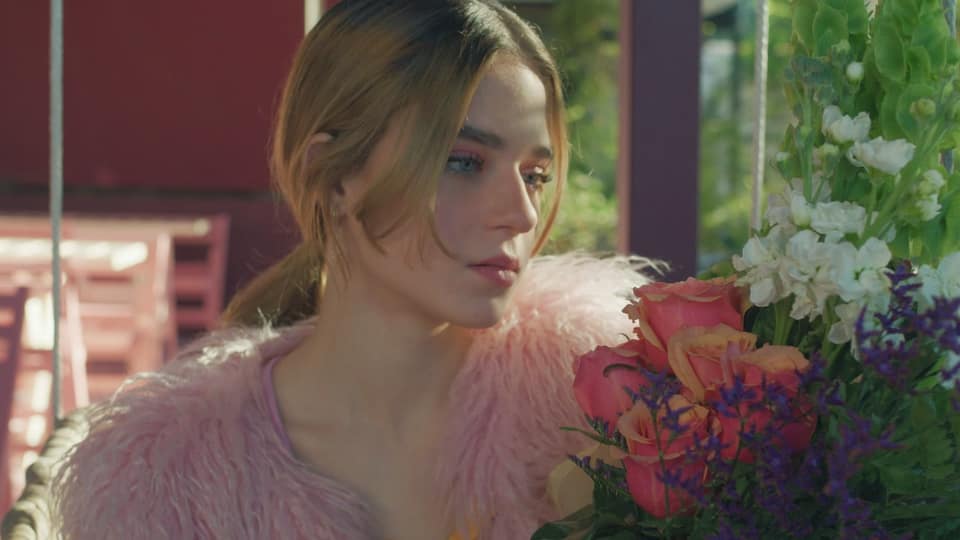
Garden portrait
Wind and hair- Camera
- “The camera sways a hair to the left, then a hair to the right.”
- Subject
- “A light breeze moves the fur on her collar and the petals beside her.”
110% to 114%6 sKeeps 84%
- Sample footage
Backlit field walk
Golden haze- Camera
- “Golden-hour haze, the camera tilting down slowly behind her.”
- Subject
- “Wind bends the long grass and lifts the hem of her dress.”
Held at 114%11 sKeeps 80%
- Sample footage
Poppy field
Wind and hair- Camera
- “A gentle sway, the horizon staying level in the middle of the frame.”
- Subject
- “Poppies nod in the wind while she lifts a hand to her hair.”
110% to 114%6 sKeeps 84%
- Sample footage
Boutique lookbook
Side slide- Camera
- “Slide slowly left along the clothing rail.”
- Subject
- “She shifts her weight and the light catches the pattern on her jacket.”
Held at 118%9 sKeeps 74%
- Sample footage
Night drive
Handheld- Camera
- “Handheld at eye level with a small breath of movement.”
- Subject
- “Red and blue light flickers across her sunglasses and the window beside her.”
106% to 107%2.4 s loopKeeps 92%
Product and food prompts
A packshot keeps its subject still, so the camera sentence does the work. Choose a move that reveals, slides or closes in, then let the second sentence add light, steam or shine.
- Sample footage
Fruit bowl reveal
Reveal zoom-out- Camera
- “Slow zoom-out from a tight crop of the glass bowl to the whole bowl.”
- Subject
- “Soft light sweeps across the glass and the fruit glistens.”
128% to 100%9 sKeeps 78%
- Sample footage
Fruit stall
Side slide- Camera
- “Slide left along the table at counter height.”
- Subject
- “Light catches the skins of the pineapple, grapes and melon.”
Held at 118%9 sKeeps 74%
- Sample footage
Morning coffee
Slow push-in- Camera
- “Slow push-in toward the rim of the cup.”
- Subject
- “Steam curls upward and the roasted beans glint on the saucer.”
100% to 122%9 sKeeps 81%
- Sample footage
Pepperoni pizza
Macro slide- Camera
- “Slow macro slide to the left across the pizza.”
- Subject
- “The cheese glistens and each slice of pepperoni shines under warm light.”
120% to 126%8 sKeeps 66%
- Sample footage
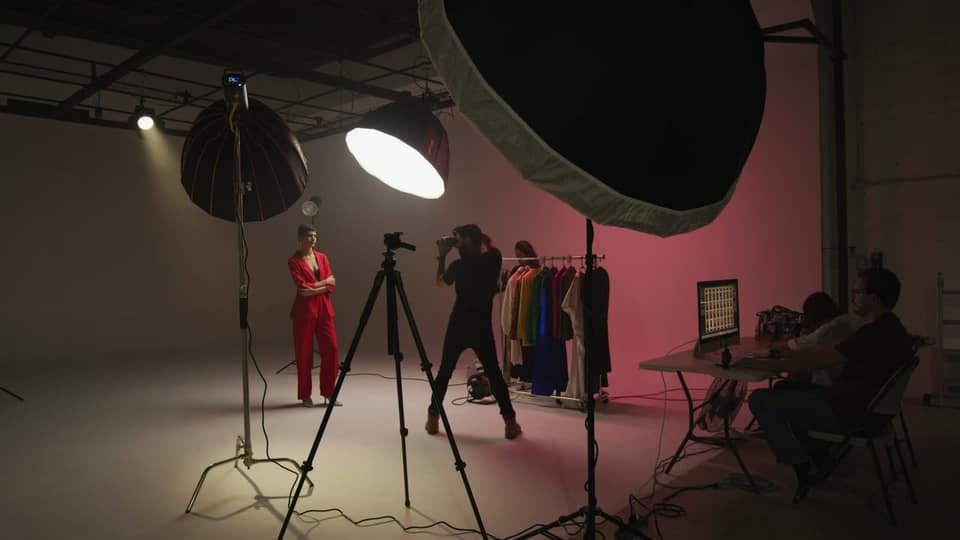
Studio set
Handheld- Camera
- “Handheld at waist height, a quiet jitter.”
- Subject
- “The softbox flares while the crew move behind the stands.”
106% to 107%2.4 s loopKeeps 92%
Landscape and travel prompts
Wide scenes forgive a long, slow move. Pick the direction first, then name one thing in the scene that should be moving: water, clouds, sand or traffic.
- Sample footage
Sunflower field
Slow push-in- Camera
- “Slow push-in down the rows of sunflowers.”
- Subject
- “The flower heads sway and clouds slide across the deep blue sky.”
100% to 122%9 sKeeps 81%
- Sample footage
Desert camels
Parallax drift- Camera
- “Parallax drift across the dune, the layers separating.”
- Subject
- “The camels walk across the ridge and sand lifts off the crest.”
112% to 120%10 sKeeps 78%
- Sample footage
Sunrise over the bay
Reveal zoom-out- Camera
- “Slow zoom-out from a tight crop of the sun to the whole bay.”
- Subject
- “The water glitters and thin clouds creep across the horizon.”
128% to 100%9 sKeeps 78%
- Sample footage
Coast road
Side slide- Camera
- “Slide slowly to the left at road level.”
- Subject
- “A car rolls into the frame while morning light moves over the cliff.”
Held at 118%9 sKeeps 74%
- Sample footage
Sunset at the railing
Golden haze- Camera
- “Golden-hour haze, the camera tilting down slowly.”
- Subject
- “Clouds drift and the silhouette pauses at the railing.”
Held at 114%11 sKeeps 80%
Pets, cars and keepsake prompts
Animals and old family photos both reward restraint. Ask for a small breath of motion, keep the move slow, and leave faces in the middle of the frame.
- Sample footage
Cat in the grass
Slow push-in- Camera
- “Slow push-in at grass level.”
- Subject
- “Blades of grass sway and the cat's ears twitch.”
100% to 122%9 sKeeps 81%
- Sample footage
Dog portrait
Handheld- Camera
- “Handheld at eye level, close on the face.”
- Subject
- “The dog tilts its head and a soft breath of movement passes through its fur.”
106% to 107%2.4 s loopKeeps 92%
- Sample footage
Sports car at dusk
Reveal zoom-out- Camera
- “Slow zoom-out from a tight crop of the headlight to the whole car.”
- Subject
- “The headlights glow and the sun flares over the ridge behind the bonnet.”
128% to 100%9 sKeeps 78%
- Sample footage
Evening street walk
Parallax drift- Camera
- “Parallax drift along the street, their silhouettes held natural.”
- Subject
- “They walk on while people pass behind them in the warm evening light.”
112% to 120%10 sKeeps 78%
How to write an image to video prompt
Two sentences are enough. The first moves the camera, the second moves something inside the photo.
- 01
Camera
Where the frame goes
“Slow push-in toward her face.”
One move per prompt. The preview plays one move too, so a sentence that asks for a push and a pan at once has nothing to match.
- 02
Subject
What moves inside the frame
“She turns a page while leaves shift behind her.”
Name one or two small motions: steam, wind, a blink, passing people. Large actions ask a still photo for more than it holds.
- 03
Light
How the scene feels while it moves
“Light flickers through the branches.”
A light cue gives the render a mood to keep. It can sit at the end of the subject sentence.
Start with the camera
Put the move first, using a word from the move table below: push-in, slide, drift, sway, zoom-out, handheld, macro slide or haze. The first sentence of each prompt on this page maps to one of those eight moves, so the preview and the prompt agree. Direction follows the preview too: in slide, macro slide and drift the photo travels to the right, which reads as the camera moving left, and in golden haze the photo rises, which reads as a tilt down.
Keep faces in the middle
Each move crops the edges because it scales the photo up. The move table lists how much of a photo stays in view at 3:4, 1:1 and 16:9. Faces, hands and captions belong inside that middle.
Match the move to the photo
Backlit grass suits a sway. A packshot suits a slide or a zoom-out. Horizon lines and straight architecture suit a move that does not tilt. Each preset page lists the photos its move suits.
Write the subject as one small action
Steam curling up, a page turning, grass bending: one action a viewer can picture in a few seconds. Two actions in one sentence compete for the same few seconds.
What the preview plays and what the render adds
The camera sentence of each prompt maps to one of eight moves. This table is read from the same numbers the preview runs on.
Swipe the table sideways for the remaining columns.
Middle kept is the share of your photo that stays in view for the whole move, taken as the lowest of 3:4, 1:1 and 16:9. Subject sentences are not in this table because the preview does not draw them: the AI render will.
Image to video prompts: questions
How do I write image to video prompts?+
Write two short sentences. The first names one camera move, such as a slow push-in or a slide to the left. The second names one small motion inside the photo, such as steam, wind or a passing car. The prompts on this page all follow that shape.
Do I need a prompt to turn an image into a video?+
No. The eight presets work without any prompt. The prompts on this page are for describing a camera move and a small motion in words.
What should an image to video prompt say about the camera?+
Name one move and one direction: push-in, slide left, zoom-out, tilt down. The camera sentence of each prompt here matches one of the eight presets, and the move table lists how far each one scales, travels and crops.
Can I try a prompt on my own photo?+
Yes. Choose Try this move on any card, then Preview on my photo. The camera move runs on your photo in your browser, and the photo is not uploaded.
Does imgmov render the subject motion today?+
Not yet. The in-browser preview plays the camera move alone. The subject sentence, such as steam or wind in hair, is written for the AI render, which opens through the waitlist.
Why does a prompt have two sentences?+
The two halves are handled by different parts of the product. The camera half maps to a preset that already runs in your browser. The subject half is what the AI render will add. Keeping them apart lets you reuse the camera half alone.
Can I copy just the camera sentence?+
Yes. Each card has a Copy camera button next to Copy prompt. imgmov has not tested these prompts in other video tools, so treat them as plain-language starting points there.
Are these prompts free to use?+
Yes. Copy any of them, change the nouns to match your photo, and use them wherever you like.